
Plan your week
Start with a client, then add one job or import a job list from Excel or CSV. Group work into projects, set visit dates and plan upcoming jobs in the calendar. Browse active work and history by month and year.

Retora Solo helps independent tradespeople organise customers, projects and visits on iPhone and iPad. Record answers and photos on site, take a signature and share a PDF report.
For iPhone and iPad. On the App Store in the United Kingdom.
Built for the work one person does in a day: get to the right site, do the job, record it properly and leave the customer with something clear in writing.
Start with a client, then add one job or import a job list from Excel or CSV. Group work into projects, set visit dates and plan upcoming jobs in the calendar. Browse active work and history by month and year.
See your saved work sites on the built-in visit map and open directions in Apple Maps. Retora Solo does not track your location: only the site addresses are sent to Apple, to place them on the map.
Write the questions each kind of job needs: yes or no, short or longer text, numbers or choices. Choose where a photo is optional and where it is required. Each visit keeps its own questions and answers, so changing a template never changes completed work.
Record answers and photos on site, complete the visit and take an optional signature from the customer or site manager. Generate a PDF field report with your business logo. Signed work is protected from later editing.
Record an aborted visit with the reason, the details and who you spoke to, and generate an abort report. Cancel planned bookings into history, or book a linked return visit that keeps the original outcome.
Prepare quote and invoice drafts with line items and totals, then preview, print or share them as PDFs clearly marked DRAFT. This version does not issue invoices, take payments or track paid invoices.
Save a complete backup of your workspace, with jobs, photos, signatures and saved reports, to a place you choose in Files, and review a backup before you restore it. Retora Solo does not encrypt backup files, so keep them somewhere private.
Add your business details and logo once, and they appear on your reports and draft paperwork. Choose a light, dark or system appearance for the app.
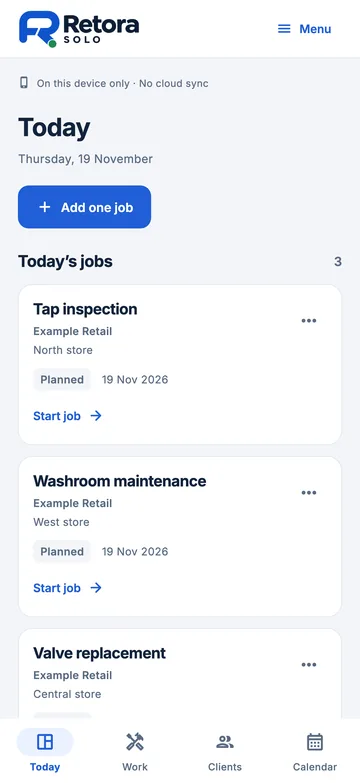
The day's jobs, in order.
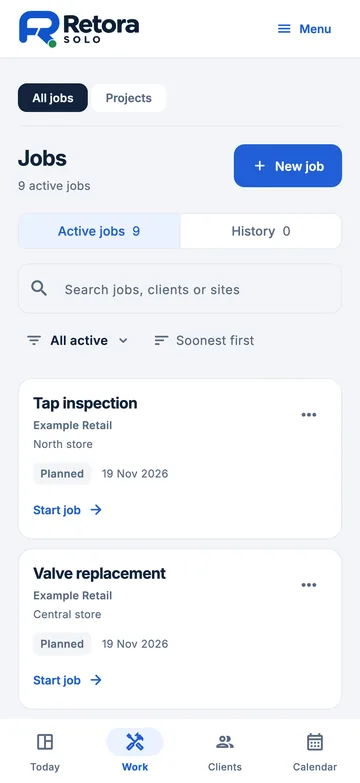
Search, filter and add work.
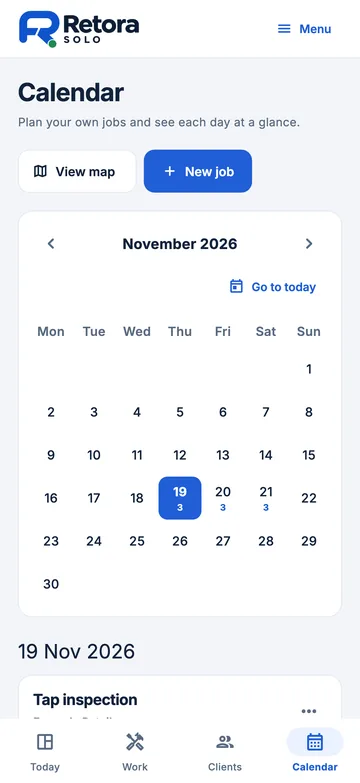
The month at a glance.
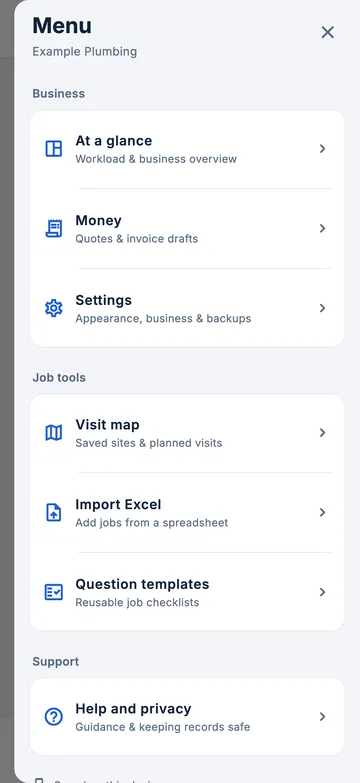
Money, map, import and templates.
The screens show sample records, not real customers.
Nothing you record is sent to Retora, which is why the app needs no account. It also means the only copy is the one on your iPhone or iPad, until you make a backup.
Opening soon
A Retora Solo workspace on retora.app is opening soon. Leave your email and we will tell you when you can sign up. The app stays free either way.
Yes. Retora Solo is free on the App Store. It needs no Retora account and no subscription, and there is nothing to buy in the app.
No account. Your records are saved on the device, so you can keep working without a signal. The visit map and the check for a newer version of the app need a connection.
On your iPhone or iPad. Retora Solo sends none of your customers, jobs, photos, signatures or reports to Retora, and has no advertising or analytics. Its App Store privacy label reads Data Not Collected.
Your records would be lost unless you have a backup, because there is no cloud copy. Save a full backup to Files regularly and keep it outside the app. On a new device, install Retora Solo and restore the backup.
No. It does not ask for your device's location. When you open the visit map, the saved site addresses are sent to Apple to find them on the map, and directions open in Apple Maps.
Not in this version. You can prepare quote and invoice drafts and share them as PDFs marked DRAFT. Retora Solo does not issue invoices, take payments or track paid invoices.
Not at present. Retora Solo is for iPhone and iPad, from the App Store in the United Kingdom.
Retora Solo is for one person running their own jobs. For a company that assigns work to installers and reviews it in the office, see Retora for teams.
Free on the App Store. Add your business, a customer and a job, and you are working.