Job management software for trades and installation teams.
Plan the work, record what happened on site with photos, answers and a signature, and hand over a clear PDF report. Retora Solo is a free app for one-person trades. Retora for teams joins the office and the field.
Retora Solo is on the App Store in the United Kingdom, for iPhone and iPad. No account needed.
Two ways to use Retora
One person with a van, or a company with a crew.
For one person
Retora Solo
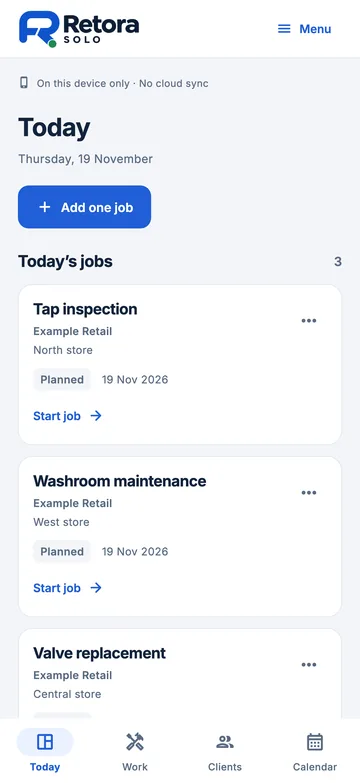
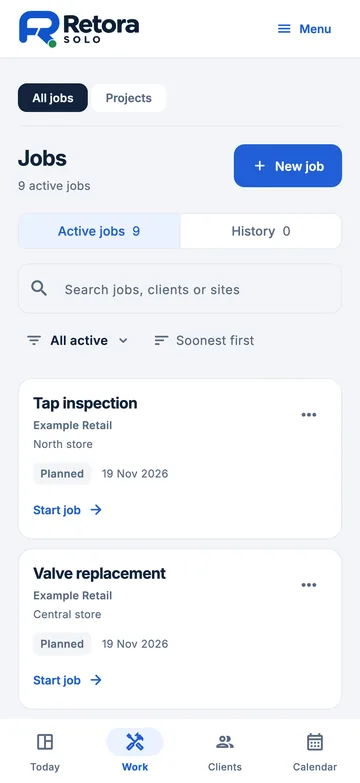
A free iPhone and iPad app for independent tradespeople. Plan your visits, work through your own questions on site, add photos, take a signature and share a PDF report. Your records stay on your device, with no account to set up.
Free on the App Store in the United Kingdom
Keeps working without a signal: your records are saved on the device
A shared workspace for the office and the field. Create and assign jobs, follow recorded progress, review submitted evidence and keep installer payment records with the work. HAE Systems sets each company up personally.
A shop fit, a service visit, an inspection or a repair: the job is planned, done, signed for and written up in one place, so the photos and the paperwork never get separated from the work.
01
Plan
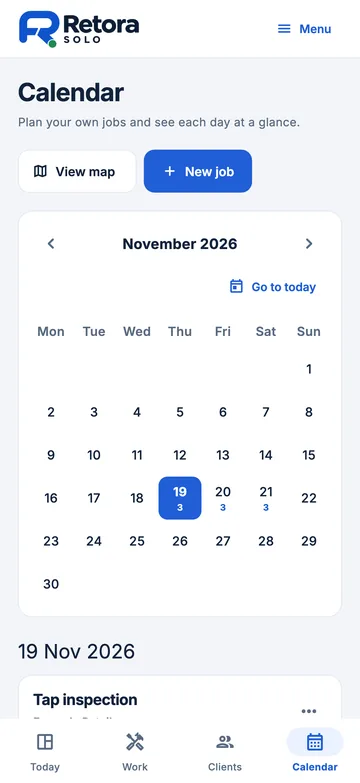
Add a job, or bring a whole list in from Excel or CSV. Group the work into projects and see the days ahead in the calendar.
02
Record
On site, work through the questions you set for that kind of job, and attach photos where they matter.
03
Sign off
Take a signature from the customer or site manager when the work is done.
04
Report
Turn the visit into a PDF report, ready to print or share.
On site
The evidence is part of the job, not an afterthought.
Write the questions each kind of job needs, and decide where a photo is optional and where it is required. When the visit is finished, the answers, the photos and the signature are already in the report.
Your own questions: yes or no, text, numbers or choices
Photos where they matter, required where they must be
Sign-off from the customer or site manager
A PDF report to print or share
Why Retora
Not built in a boardroom. Built in the field.
Built in the field
Retora grew out of an installation business that was running its jobs across messages, spreadsheets and photo folders. It is used for real jobs today.
A record you can stand behind
In Retora Solo each visit keeps its own questions and answers, and signed work is protected from later editing.
Your work stays yours
Retora Solo keeps your records on your own iPhone or iPad. Nothing is sent to Retora, and the app's App Store privacy label reads Data Not Collected.
A company you can reach
Retora is made by HAE Systems Ltd, a UK company. Help is one message away.
Questions
Straight answers before you start.
What is Retora?
Retora is job management software for trades and installation businesses. It comes in two forms. Retora Solo is a free iPhone and iPad app for one person running their own jobs. Retora for teams is a web platform with a field app, for companies that coordinate office staff and installers.
Is Retora Solo free?
Yes. Retora Solo is free on the App Store and needs no account or subscription. There is nothing to buy in the app.
Which devices does Retora Solo work on?
iPhone and iPad. It is on the App Store in the United Kingdom.
Where is my work kept in Retora Solo?
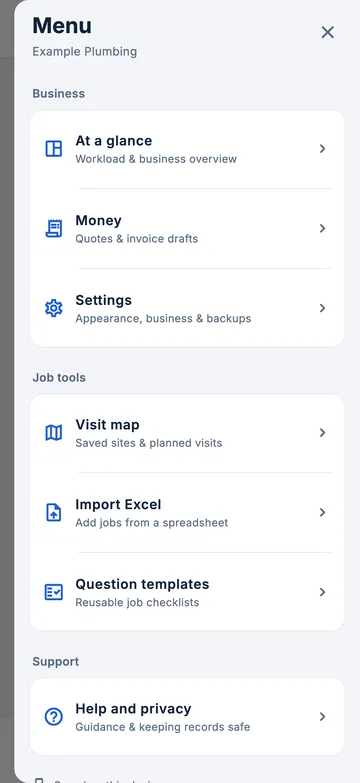
On your device. Retora Solo has no cloud sync, so keep a recent backup: the app saves a complete backup file, with your jobs, photos, signatures and reports, to a place you choose in Files.
Can I send quotes and invoices from Retora Solo?
You can prepare quote and invoice drafts with line items and totals, and preview, print or share them as PDFs marked DRAFT. This version does not issue invoices, take payments or track what has been paid.
How does a company start with Retora for teams?
Book a demo. HAE Systems arranges each company's onboarding personally, and confirms the workflows, capacity and subscription terms with you.
How do I get help?
The Help centre covers the web platform and its field app, and Retora Solo has its own support page. Both are linked at the foot of every page.
Start with the one that fits.
Working on your own? Retora Solo is free and needs no account. Running a team? See the platform in a demo.